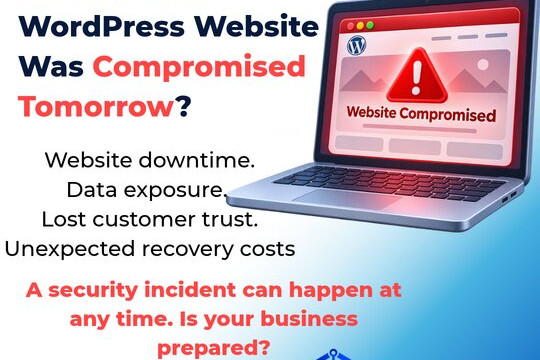
Your WordPress website may be backed up automatically every day or weekly. Your hosting provider confirms successful backups, and your backup plugin confirms that your backup is up to date. But have you ever tested whether those backups could actually restore your website after a security incident?
Imagine your WordPress website gets compromised; you locate your latest backup to discover that it contains malicious code and your database is incomplete. For small and medium-sized businesses (SMBs), this scenario can lead to prolonged downtime, lost revenue, operational disruption, and damage to customer trust.
Having backups is important. What truly matters is being able to recover securely.
According to Veeam’s 2026 Data Trust and Resilience Report, 90% of surveyed security leaders expressed confidence in their ability to meet recovery time objectives, yet only 28% of ransomware-affected organizations reported fully recovering their data.
Although these findings are not specific to WordPress, they highlight a critical distinction between confidence in recovery and actual recovery outcomes.
A reliable WordPress recovery strategy requires more than backup files. It requires protected recovery points, tested restoration procedures, defined recovery objectives, incident response capabilities, and a plan for restoring secure business operations.
Backing Up Your WordPress Site
There are two parts to backing up your WordPress site: Database and Files. You need both to be able to fully restore a typical WordPress site.
Database vs Files
- WordPress files are the files in your WordPress directory on the web server (WordPress core, themes, plugins, uploads,
wp-config.php,.htaccess, etc.). - The WordPress database is stored in a separate database system (usually MySQL/MariaDB). You usually cannot back it up by downloading your WordPress directory, because the database lives outside of it.
Here are seven areas worth reviewing with your backup.
- Are your WordPress backups complete?
A WordPress website consists of multiple components, including website files, databases, plugins, themes, uploaded media, and configuration settings. A backup that captures only part of the environment may not contain everything required to restore the website’s functionality.
What to look for
- Backups that include website files but exclude the database.
- Incomplete or failed backup jobs.
- Critical configurations and external dependencies that are not documented.
- Missing media uploads, themes, plugins, or custom code.
Recommended Actions
-
Review your backup configuration to confirm that all essential WordPress components are included.
-
Maintain an inventory of critical website dependencies, and verify that backup jobs complete successfully.
2. Could your backups already contain malicious code?
Backups preserve the state of your website at a particular point in time, including potentially malicious changes. If attackers compromised your WordPress installation before a backup was created, that backup may contain malicious scripts, unauthorized administrator accounts, modified plugins, or compromised database records.
Restoring such a backup could reintroduce the original security incident.
What to look for
- Unknown files or unexpected changes in plugin directories.
- Unknown files or unexpected changes in plugin directories.
- No historical backup versions available for comparison.
- No process for assessing whether a restore point is trustworthy.
Recommended Actions
-
Maintain multiple historical recovery points rather than relying exclusively on the latest backup.
-
Where appropriate, restore the website in an isolated environment, inspect files and database content, and validate components against trusted sources before restoring production access.
Further Reading: My site was hacked
3. Are your backups protected from unauthorized access or deletion?
Backups stored on the same server as a WordPress website may be exposed during a broader hosting or account compromise. An attacker with sufficient access could delete backup files, modify recovery data, or attempt to access sensitive information contained in the backup.
What to look for
- Backups stored exclusively on the production web server.
- No protected or isolated historical backup copies.
- Unencrypted backups containing sensitive data.
- Backup storage accessible using the same credentials as the compromised environment.
Recommended Actions
-
Maintain protected backup copies outside the production hosting environment.
-
Apply appropriate access controls and encrypt sensitive backup data.
- Consider offline or immutable storage where practical.
The Cybersecurity and Infrastructure Security Agency (CISA) recommends maintaining protected offline backups and regularly testing restoration as part of ransomware preparedness.
Further Reading: CISA – #StopRansomware Guide
4. Have you tested your WordPress Backup Restoration Process?
A successful backup notification does not necessarily mean that restoration will succeed. A backup may be corrupted, incomplete, incompatible with the current hosting environment, or missing important configuration data.
For businesses that depend on WordPress for customer enquiries, bookings, or online transactions, discovering these weaknesses during an actual incident can prolong downtime.
What to look for
- Backup restoration has never been tested.
- No documented restoration instructions.
- Missing verification of database connectivity and website functions
- Recovery procedures dependent on one administrator or hosting provider.
Recommended Actions
-
Schedule periodic restoration exercises using a staging or isolated environment.
-
Verify that the restored website functions as expected, including: WordPress administrator access, database connectivity, user authentication, and page and media availability.
A backup is only as useful as your ability to restore it when needed.
Further Reading: NIST SP 800-34 – Contingency Planning Guide
5. Do you know how long your website recovery would take?
Even with complete and clean backups, restoring a WordPress website may take longer than your business can tolerate. Recovery may involve provisioning new hosting infrastructure, restoring databases, reconfiguring integrations, validating security controls, and testing critical services.
Without defined recovery objectives, organizations may underestimate the operational and financial impact of website downtime.
What to look for
- No documented recovery time expectations.
- No understanding of acceptable data loss.
- No established priorities for restoring critical functionality.
Recommended Actions
Establish recovery objectives:
- Recovery time objective (RTO) is the maximum allowable time to restore a system after a disruption to make sure the least impact on business operations.
- Recovery Point Objective (RPO) refers to how much data loss your application can tolerate.
Regular restoration testing helps determine whether the organization can realistically meet its objectives.
Further Reading: NIST – Recovery Time Objective and Recovery Point Objective
6. Could your website be compromised again after restoration?
Restoring website files and databases does not necessarily remove the security weakness that enabled the original attack.
If attackers exploited an outdated WordPress plugin, compromised administrator credentials, insecure hosting configuration, or vulnerable third-party integration, the restored website could remain susceptible to the same threat.
What to look for
- Vulnerable plugins or themes that remain unpatched.
- Unauthorized administrator accounts.
- Compromised credentials that have not been rotated.
- No monitoring after website restoration.
Recommended Actions
-
Investigate the cause of the compromise before considering recovery complete.
-
Review hosting configurations, integrations, and connected systems to identify additional exposure.
-
After restoration, implement heightened monitoring to detect signs of recurring malicious activity.
Restoring a website without addressing the original security weakness can leave your business exposed to another compromise.
Further Reading: WordPress – Security Hardening
7. Does your business have a documented website recovery plan?
Backups provide recovery data, but they do not determine who should respond to an incident, what actions should be prioritized, or how business operations will continue during an outage.
Without a documented recovery plan, organizations may experience delays in coordinating technical teams, hosting providers, management, and external security specialists.
What to look for
- Unclear responsibilities between internal teams and external providers.
- Missing emergency contacts.
- No communication plan for affected customers.
- Recovery procedures that have never been exercised.
Recommended Actions
-
Develop a documented website recovery plan that identifies responsible personnel, essential resources, recovery procedures, and communication requirements.
- Periodically test the plan and update it following significant website changes or security incidents.
Further Reading: NIST SP 800-34 – Contingency Planning Guide for Federal Information Systems
What should a WordPress Recovery Strategy Include?
1. Prepare: Identify critical website services, document recovery dependencies, assign responsibilities, and establish realistic RTO and RPO targets.
2. Protect: Maintain complete, versioned, and appropriately isolated backups, with suitable encryption and access controls.
3. Detect and Contain: Monitor suspicious activity, investigate potential incidents, preserve evidence, and limit further compromise.
4. Recover Securely: Select an appropriate recovery point, restore clean components, remediate vulnerabilities, and validate security controls.
5. Test and Improve: Exercise restoration procedures, verify business functionality, monitor for recurrence, and update the recovery plan based on lessons learned.
WordPress Backup and Recovery Tools worth reviewing
- UpdraftPlus – It lets you back up your WordPress database and files (plugins, themes, uploads) manually or on a schedule, and send copies to remote cloud storage.
- Duplicator – A WordPress backup, cloning, and site migration plugin that packages your site’s files and database so you can move hosts, change domains, or restore backups.
- BlogVault – It provides automatic, secure, and incremental backups for your entire WordPress website – including the database, themes, plugins, and media files.
-
Jetpack VaultPress Backup: An Automatic-developed WordPress backup and restoration service that provides cloud-based real-time and scheduled backups. activity logs and one-click site restores.
WordPress Recovery Readiness Checklist
Before a security incident occurs, every WordPress website owner should be able to answer the following questions:
- Are website files and databases included in regular backups?
- Are backups stored separately from the production environment?
- Are backup copies protected against unauthorized access or deletion?
- Are multiple historical recovery points available?
- Have restoration procedures been tested successfully?
- Are recovery time and recovery point objectives documented?
- Can the business identify a clean recovery point following a compromise?
- Are procedures established for investigating and remediating the cause of an incident?
- Are recovery responsibilities clearly assigned?
- Can critical business services be validated before the website returns to production?
If several of these questions remain unanswered, your organization may have backups without a fully developed recovery strategy.
Backups are essential. Recovery must be proven.
At Reputiva, we believe WordPress security should extend beyond preventing attacks to ensuring that businesses can recover securely when incidents occur. For SMBs, automated backups provide an important safeguard. However, organizations must also understand whether those backups are complete, protected, and capable of restoring critical website services within acceptable timeframes.
We recommend focusing on three priorities:
1. Protect your recovery assets. Maintain complete backups, implement appropriate access controls, and store protected recovery copies outside the production environment.
2. Validate your ability to recover. Establish recovery objectives, regularly test restoration procedures, and confirm that essential business functionality can be restored.
3. Integrate recovery with cybersecurity. Investigate the cause of security incidents, remediate vulnerabilities, and ensure that restored websites are trustworthy before resuming normal operations.
A website that can be restored is not necessarily a website that has been securely recovered.
Would your WordPress backups actually help you recover?
Your business may have automated backups running every day. But if your WordPress website were compromised tomorrow, would those backups help you recover quickly, safely, and with minimal disruption?
Incomplete backups, compromised restore points, untested procedures, and unresolved security weaknesses can turn a recoverable incident into a prolonged business interruption.
At Reputiva, we help SMBs assess WordPress security, identify backup and recovery weaknesses, strengthen website protection, and improve incident response readiness.
Don’t wait for a website compromise to discover whether your recovery strategy works.
Book a WordPress Security and Recovery Assessment

Reputiva
Reputiva is a cloud, cybersecurity, and FinOps advisory firm helping SMEs reduce cyber risk, strengthen cloud environments, and manage technology costs with confidence. We publish practical insights on cloud security, identity, AI risk, compliance, and digital transformation.